
Replacing components with different APIs: our painful approach and a better alternative using the Adapter pattern

The challenge
In the project I’m working on, we recently had to replace some Vue.js components from a third-party library (Keen UI) with our own components. Our goal was to unify the look and feel of all the form fields (eg: textboxes, selects, etc.) in our web app.
We used these components extensively across the codebase, so this was quite an undertaking, especially considering that the APIs of the old and the new components were different 😅.
One of the requirements for this project was that all of the old components had to be replaced at once. We couldn’t first work on the selects, then textboxes, etc. It had to be released all at once to keep the UI consistent at all times.
An example
Let’s use a super simple example to illustrate the kind of challenge we’re faced with.
Imagine you have an OldButton Vue.js component and you have to replace it by a NewButton component, all across your codebase.
OldButton has a label prop and emits a click event:
<!-- OldButton.vue -->
<template>
  <button @click="$emit('click')">{{ label }}</button>
</template>

<script>
export default {
  name: "OldButton",
  props: {
    label: {
      type: String,
      required: true,
    },
  },
};
</script>
NewButton has a text prop and emits a pressed event:
<!-- NewButton.vue -->
<template>
  <button @click="$emit('pressed')">{{ text }}</button>
</template>

<script>
export default {
  name: "NewButton",
  props: {
    text: {
      type: String,
      required: true,
    },
  },
};
</script>
So, your goal is to go from:
<OldButton :label="label" @click="handleClick" />To:
<NewButton :text="text" @pressed="handleClick" />I invite you to pause here for a second and think… how would I approach this kind of problem?
Our approach: the feature branch Marathon
Our approach looked easy and simple at first:
Create a feature branch
For each kind of old component to be replaced:
While there are still instances of the old component, do:
Find an instance of the old component
Replace it with the new component
Delete the old components
Merge the feature branch and celebrate 🥂
To make our lives easier, we created a migration guide. For each component that had to be replaced, we outlined the differences and changes that had to be done to migrate it to the new component.
Since we had to release everything at once, we created a feature branch, and off we went to replace components one by one on the feature branch!

6 months later…
The feature branch was still alive! 🤦♂️
With nobody really working on this initiative full-time, this branch ended up staying open for 6 months!
During that time:
The feature branch had to always be updated with
main, resolving merge conflicts along the way.Since new developments were using the old components, every time we merged
maininto the feature branch, we had to replace those new usages, too.
This approach turned out to be pretty slow and painful. It was a Marathon!
This approach in action
Coming back to our simple example, this approach would look like this:
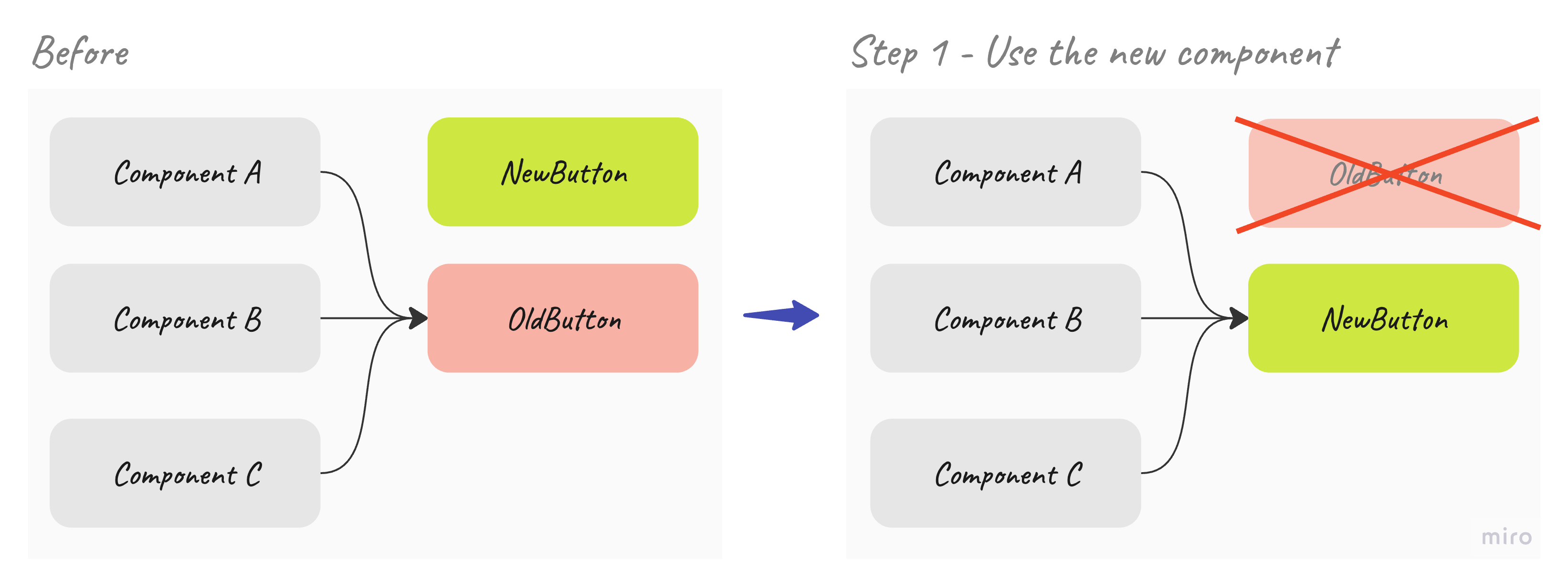
Basically, you have to change:
<OldButton :label="label" @click="handleClick" />With:
<NewButton :text="label" @pressed="handleClick" />Now, imagine having to do this in a large code base with multiple types of more complex components.
A better alternative: using Adapters
After having finally pushed and completed this initiative, I started wondering: how could have done it differently to make it less painful?
One alternative could have be been to take advantage of the Adapter pattern:
the adapter pattern is a software design pattern that allows the interface of an existing class to be used as another interface.It is often used to make existing classes work with others without modifying their source code.
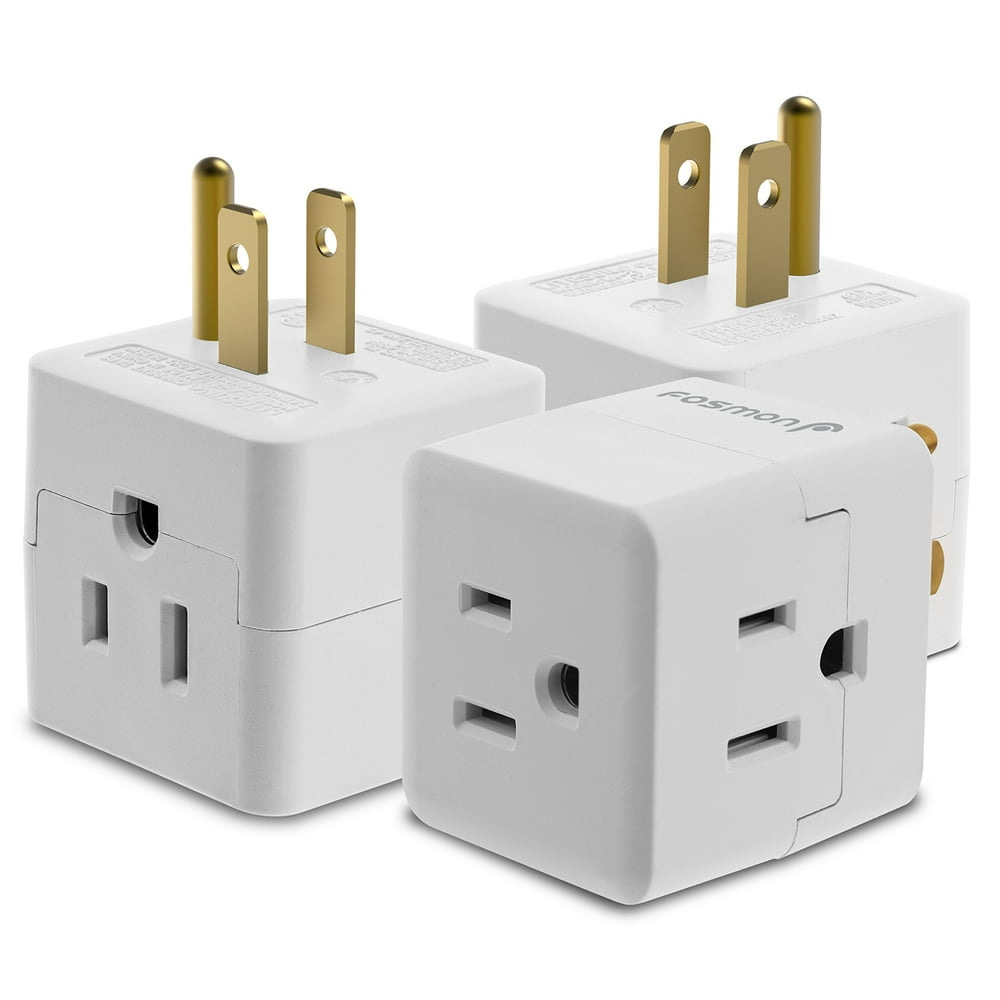
Here’s the canonical example of an adapter in the real world:
Instead of jumping straight right in and changing all the instances of the old component with the new one in a feature branch (like we did), you can follow this alternative approach using adapters:
For each kind of old component to be replaced:
Create an adapter component.
Create a
featurebranchWhile there are still instances of the old component, do:
Replace it with the adapter component
Merge the
featurebranch (optionally: you can celebrate at this point 🥂)Delete the old components.
While there are still instances of the adapter components, do:
Replace it with the new component
Delete the adapter components.
This approach in action
For our simple example, this alternative approach would look like this:

We first create the adapter component. Let’s call it OldButtonToNewButtonAdapter:
<!-- OldButtonToNewButtonAdapter.vue -->
<template>
  <NewButton :text="label" @pressed="$emit('click')" />
</template>

<script>
import NewButton from "./NewButton.vue";

export default {
  name: "OldButtonToNewButtonAdapter",
  components: { NewButton },
  props: {
    label: {
      type: String,
      required: true,
    },
  },
};
</script>
This new component provides the same API of the OldButton(receives a label prop and emits a click event), but internally uses the NewButton.
This allows us to easily replace the instances of the old component:
<OldButton :label="label" @click="handleClick" />With the adapter component:
<OldButtonToNewButtonAdapter :label="label" @click="handleClick" />Replacing the old component with the new adapter component should be fairly easy and straigforward (almost a find and replace) and, at this point we could say that our goal is completed: the UI is using the NewButton! 🪄
Also, we can get rid of the OldButton component, since it’s no longer being used.
And now, we can slowly and iteratively replace usages of OldButtonToNewButtonAdapter component by the NewButton component.
From:
<OldButtonToNewButtonAdapter :label="label" @click="handleClick" />To:
<NewButton :text="label" @pressed="handleClick" />Finally, once the OldButtonToNewButtonAdapter is no longer being used, we can safely delete it and our job would be fully completed!
Combining adapters with feature flags
Additionally, we could have combined Adapters with feature flags to have more control over when / where to switch on/off the new components. This would allow us to, for example, turn on the new components in a test environment to verify they worked correctly.
<!-- OldButtonToNewButtonAdapter.vue -->
<template>
  <NewButton v-if="useNewButton" :text="label" @pressed="$emit('click')" />
  <OldButton v-else :label="label" @click="$emit('click')" />
</template>

<script>
import NewButton from "./NewButton.vue";

export default {
  name: "OldButtonToNewButtonAdapter",
  components: { NewButton },
  props: {
    label: {
      type: String,
      required: true,
    },
  },
  setup: function () {
    const { useNewButton } = useFeatureFlags()

    return {
      useNewButton
    }
  }
};
</script>
Conclusion
Replacing components, wether they’re frontend components, classes, or functions, with others that provide a different API can challenging, especially in a large and evolving codebase.
In my experience, using a feature branch and replacing components one by one turned out to be painful and slow.
Next time, I will definitely consider using the Adapter Pattern to ease the migration.